What Should I Know Before Buying a CRM?
Many of us begin the process of purchasing a CRM without fully understanding what it is or what it can do for us and our businesses. Sometimes, we buy one simply because a colleague recommended it or because we saw it in a presentation. Before purchasing this type of solution, it is important to determine what you need the tool to provide and what results you expect to achieve.

There are many customer relationship management (CRM) systems on the market. Some offer extensive scalability, while others are designed to address more specific or smaller-scale requirements. A CRM is a tool whose primary function is to consolidate all your customer information in one place, giving you a 360° view of each customer. This includes their orders, purchases, opportunities, support cases, and other interactions with your company. Omnichannel tools make it possible to manage communications, messages, emails, and more, helping maintain a consistent and efficient flow of communication.

Sales team analyzing a real-time dashboard.
In addition, some CRM platforms go a step further by automating repetitive tasks that would otherwise consume valuable time from your sales team. Automation is not limited to simple administrative tasks; more sophisticated systems can automate marketing processes, prospect follow-up, and lead assignment to sales representatives, among other activities. They can also integrate artificial intelligence and machine learning to improve decision-making and optimize sales team performance. These capabilities not only streamline daily operations but also provide valuable insights for business strategies. The system can learn from collected data to offer recommendations, anticipate customer needs, and even identify cross-selling or up-selling opportunities.
CRM implementation also goes far beyond simply monitoring work. Although these systems provide detailed tracking of sales activity, one of their greatest benefits is their ability to improve sales team performance. This is achieved through automation, artificial intelligence, virtual assistants, and insights generated from data analysis. These tools not only optimize your team's daily work but also provide a solid foundation for strategic decision-making.
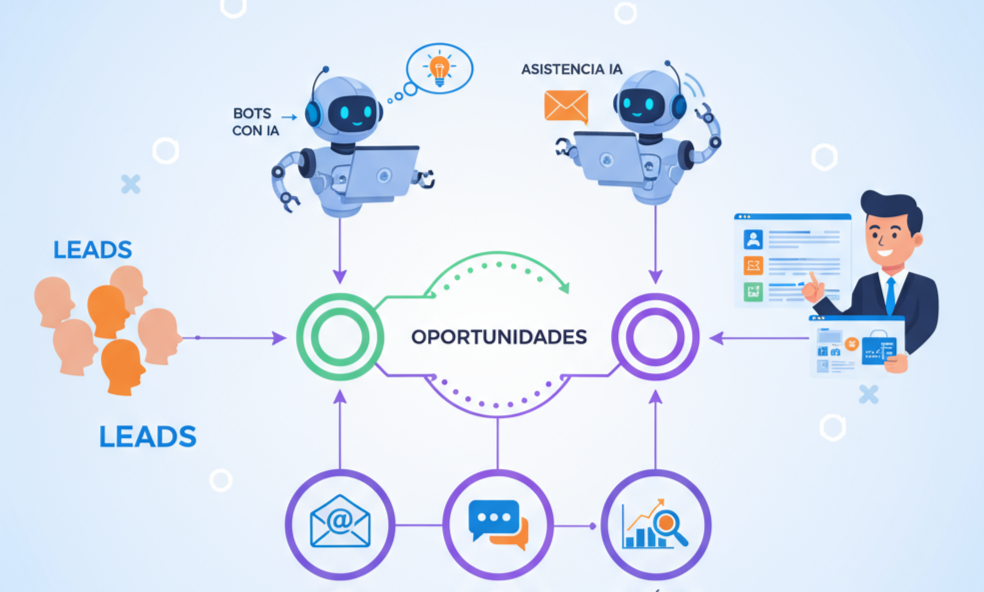
CRM automation: sales pipeline, AI bots, and integrated communication.
Before purchasing a CRM, it is crucial to clearly define the objectives you expect to achieve with the tool. Ask yourself which specific problems you want to solve, which processes you want to optimize, and what results you expect to achieve. You should also consider the solution's scalability: as your company grows, the CRM should be able to adapt and scale with your needs. It is equally important to assess how easily the CRM can integrate with other tools your company already uses, such as ERP systems, email marketing platforms, and project management tools. Seamless integration between systems maximizes the efficiency and effectiveness of your operations.
Finally, remember that implementing a CRM is a process that requires time and resources. It is essential to choose a provider that offers strong support and training to ensure a smooth transition and effective use of the tool. Selecting the right CRM can radically transform how you interact with customers and manage your sales processes, leading to significant improvements in customer satisfaction and business performance.
Conclusion: Choose the CRM That Fits Your Process
Before choosing a CRM, it is essential to consider the following points:
- Define Clear Objectives: Identify the problems you want to solve and the processes you want to optimize. Having a clear objective will help you choose the CRM best suited to your company.
- Scalability: Make sure the CRM can grow with your company. A scalable solution adapts to your changing needs without requiring a complete overhaul.
- Integration with Existing Tools: Assess how easily the CRM can integrate with other platforms and tools your business already uses. Effective integration promotes efficiency and productivity.
- Support and Training: Choose a provider that offers reliable support and training options to ensure successful implementation and effective use of the system.
- Features and Capabilities: Consider the specific features your company needs. These may include marketing automation, sales management, and lead tracking, among others.
- Total Cost of Ownership: Consider not only the purchase price but also the costs of implementation, customization, maintenance, and future upgrades.
Carefully selecting a CRM with these factors in mind can make a significant difference in how you manage customer relationships and the success of your business strategy. The right CRM not only improves operational efficiency but can also transform the customer experience, leading to greater satisfaction and loyalty.
Interactive Checklist: Is Your Company Ready for a CRM?
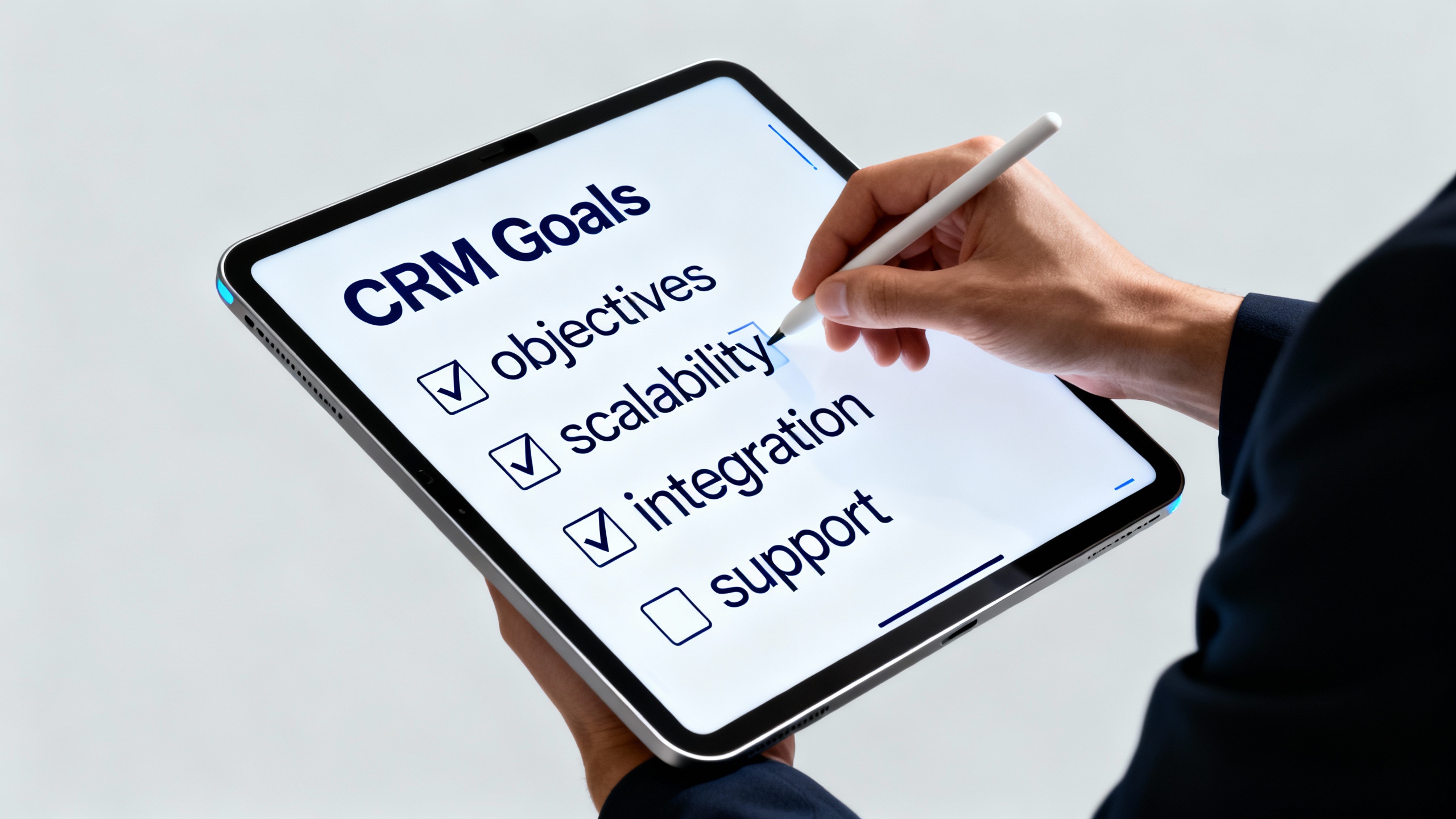
CRM selection checklist: objectives, scalability, integration, and support.
Assess whether your business is ready to implement a CRM system by answering the following questions. At the end of this checklist, you will have a better understanding of your needs and how a CRM could meet them.
- 360° Customer View
- Do you have difficulty accessing complete customer information in one place?
- Do your company's departments work with siloed customer information?
- Do you need a system that provides a comprehensive view of the customer journey?
- Automation and Efficiency
- Is your sales team overwhelmed by repetitive administrative tasks?
- Are there manual processes that could benefit from automation?
- Are you looking to automate lead assignment and prospect follow-up?
- Data Analysis and Business Intelligence
- Do you have difficulty collecting and analyzing sales and customer data?
- Do you need data-driven insights to make strategic decisions?
- Do you want to predict customer trends and behaviors to anticipate their needs?
- Integration and Scalability
- Is it important for the CRM to integrate seamlessly with other tools you already use?
- Do you expect your company to grow and need a solution that can scale easily?
- Do you need a platform that can adapt to future changes in your business structure or strategy?
- Cost and Return on Investment
- Have you considered the total cost of owning a CRM, including implementation and maintenance?
- Do you want to see a clear return on investment through improved customer satisfaction and increased sales?
- Are you willing to invest in training to ensure effective CRM adoption and use?
How to Interpret Your Results
- You selected most of the answers: Your business may be facing challenges that a CRM is well equipped to solve. A CRM platform could deliver significant improvements in customer relationship management, internal process efficiency, and business intelligence.
- You selected a moderate number of answers: There are certain areas where a CRM could benefit your company. Consider conducting a more detailed assessment of your current processes and how a CRM could be effectively integrated.
- You selected very few answers: You may already have efficient processes in place, but a CRM could provide additional benefits you have not yet considered. Evaluate how advanced capabilities such as artificial intelligence and predictive analytics could take your company to the next level.
👉 “Choosing a CRM may seem challenging, but you do not have to do it alone. We invite you to share your experience or questions in the comments. If you are looking for personalized guidance, feel free to contact us. We are here to help you find the best solution for your company.”
Tecnología Amiga – AT Vault
Frequently Asked Questions
How Much Does a CRM Cost?
Costs range from free entry-level plans from HubSpot to hundreds of dollars per user per month for enterprise platforms. The true cost includes implementation and adoption: an inexpensive CRM that no one uses is the most expensive option of all.
Which CRM Is Best for a Small or Medium-Sized Business?
It depends on the process: for straightforward sales and digital marketing, a lightweight tool may be enough; for quotes, approvals, and ERP integration, a platform like Salesforce can help you avoid migrating in two years. Our Salesforce vs. HubSpot comparison breaks this down into clear criteria.
When Should You NOT Buy a CRM?
When there is no defined sales process: if no one can describe the stages of a sale, the CRM will simply digitize the chaos. Define a basic process first, then choose the tool.
El Radar, by AT Vault
Get Salesforce, Commvault and AI news before anyone else
A clear, noise-free summary of what really matters in CRM, data resilience and artificial intelligence. Straight to your inbox.
No spam. Unsubscribe anytime.